 One account. Your whole family connected.
 Pause your kid’s data or send them an SMS in one tap
 Landed with no internet? We’ve still got your back
 Truly unlimited. No caps. No slowdowns.
 Every trip pays off: earn miles on every eSIM


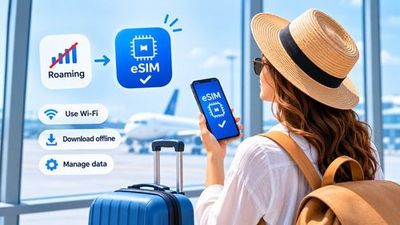
Staying connected with family, friends, and colleagues is important when traveling. WhatsApp allows you to send messages and make voice and video calls using an internet connection. With a travel eSIM, you can use WhatsApp abroad while keeping your regular account and phone number.
Can You Use WhatsApp with a Travel eSIM?
Yes. If WhatsApp is installed on your phone and you have an active internet connection, you can continue using the app through your travel eSIM. Your WhatsApp account is linked to the phone number you registered with, not to the SIM card you use to access the internet.
This means you can keep your regular WhatsApp number while using a separate travel eSIM for mobile data.
Keep Your Regular WhatsApp Number
You do not need to change your WhatsApp account number when traveling. If you want to continue using the same account, simply leave the phone number in your WhatsApp settings unchanged.
Your travel eSIM can provide the internet connection while your WhatsApp account continues using the number you originally registered with.
How to Prepare Your Phone Before Traveling
- Make sure your phone supports eSIM technology.
- Purchase a suitable travel eSIM plan for your destination.
- Install the eSIM by following your provider's instructions.
- Check that WhatsApp is working correctly and your account is accessible.
- Save important conversations and create a backup if necessary.
How to Use WhatsApp After Arrival
Once you arrive at your destination, select your travel eSIM as the line for mobile data. If your provider requires data roaming, enable it specifically for your travel eSIM.
- Turn on your travel eSIM.
- Select it as your primary line for mobile data.
- Make sure data roaming is disabled on your primary SIM if you want to avoid additional charges.
- Open WhatsApp and check your internet connection.
Can You Make WhatsApp Calls Using an eSIM?
Yes. If your eSIM plan provides mobile data, you can make WhatsApp voice and video calls, send messages, and share photos and videos. These activities use internet data rather than regular cellular calling minutes.
Keep in mind that video calls and large file transfers can consume significantly more data than regular text messages.
How to Avoid Unexpected Charges
- Select your travel eSIM for mobile data.
- Disable data roaming on your primary SIM if you do not intend to use its internet connection.
- Limit automatic photo and video downloads in WhatsApp.
- Download large files over Wi-Fi whenever possible.
- Monitor your eSIM data balance and usage.
What to Do If WhatsApp Is Not Working
If WhatsApp cannot connect to the internet, first check whether your travel eSIM is active and selected for mobile data. Make sure data roaming is enabled if required by your provider. You can also try restarting your phone or toggling airplane mode.
Do not delete WhatsApp or change your account number unnecessarily. The issue may simply be related to your internet connection or eSIM settings.
Stay Connected Without Changing Your WhatsApp Number
A travel eSIM makes it easier to use WhatsApp abroad by providing internet access while allowing you to continue using your regular account. Prepare your phone in advance, choose a suitable eSIM plan, and stay connected with family and friends wherever your travels take you.